 Henric Backman
10 KiB
Thanks to KASH and XxFri3ndlyxX
If you are updating ESX, be sure to update the remaining scripts!
Instrukcja w języku Polskim znajduje się tutaj.
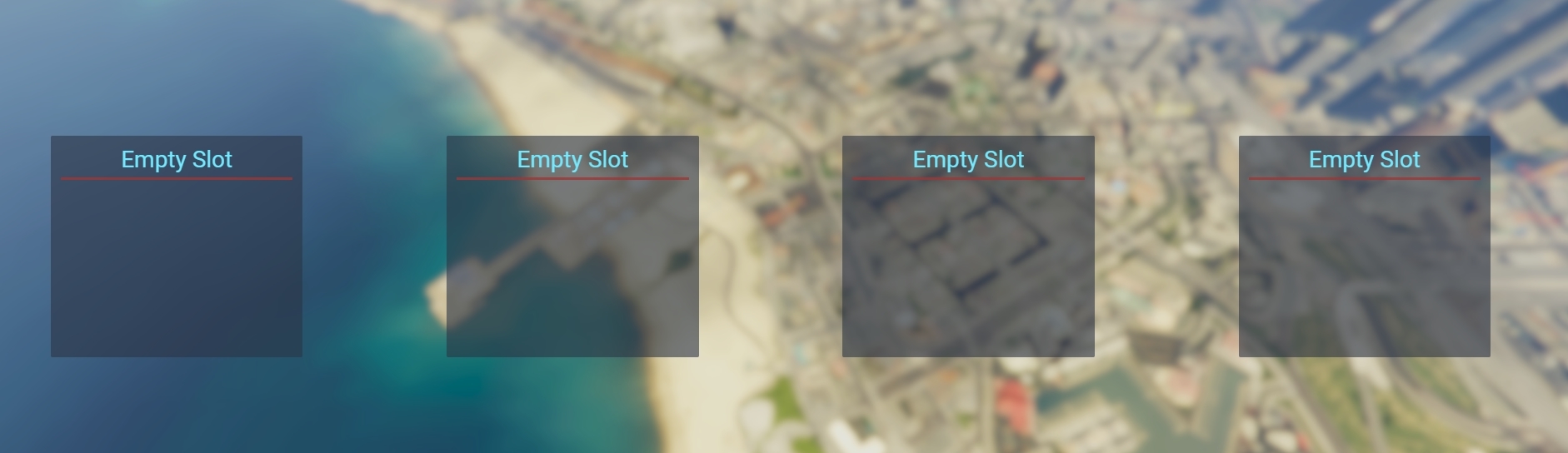
Current design:
Required changes:
- es_extended: (
es_extended/client/main.lua)
Replace this code:
Citizen.CreateThread(function()
    while true do
        Citizen.Wait(0)

        if NetworkIsPlayerActive(PlayerId()) then
            TriggerServerEvent('esx:onPlayerJoined')
            break
        end
    end
end)
with:
RegisterNetEvent('esx:kashloaded')
AddEventHandler('esx:kashloaded', function()
    TriggerServerEvent('esx:onPlayerJoined')
end)
- es_extended: (
es_extended/client/main.luaat RegisterNetEvent('esx:playerLoaded'))
Comment out this code:
    -- check if player is coming from loading screen
    if GetEntityModel(PlayerPedId()) == GetHashKey('PLAYER_ZERO') then
        local defaultModel = GetHashKey('a_m_y_stbla_02')
        RequestModel(defaultModel)

        while not HasModelLoaded(defaultModel) do
            Citizen.Wait(100)
        end

        SetPlayerModel(PlayerId(), defaultModel)
        local playerPed = PlayerPedId()

        SetPedDefaultComponentVariation(playerPed)
        SetPedRandomComponentVariation(playerPed, true)
        SetModelAsNoLongerNeeded(defaultModel)
        FreezeEntityPosition(playerPed, false)
    end
find:
    ESX.Game.Teleport(PlayerPedId(), {
        x = playerData.coords.x,
        y = playerData.coords.y,
        z = playerData.coords.z + 0.25,
        heading = playerData.coords.heading
    }, function()
        TriggerServerEvent('esx:onPlayerSpawn')
        TriggerEvent('esx:onPlayerSpawn')
        TriggerEvent('playerSpawned') -- compatibility with old scripts, will be removed soon
        TriggerEvent('esx:restoreLoadout')

        Citizen.Wait(3000)
        ShutdownLoadingScreen()
        FreezeEntityPosition(PlayerPedId(), false)
        DoScreenFadeIn(10000)
        StartServerSyncLoops()
    end)
replace with:
--[[
    ESX.Game.Teleport(PlayerPedId(), {
        x = playerData.coords.x,
        y = playerData.coords.y,
        z = playerData.coords.z + 0.25,
        heading = playerData.coords.heading
    }, function()
    end)
]]--
    TriggerServerEvent('esx:onPlayerSpawn')
    TriggerEvent('esx:onPlayerSpawn')
    TriggerEvent('playerSpawned') -- compatibility with old scripts, will be removed soon
    TriggerEvent('esx:restoreLoadout')

    Citizen.Wait(0)
    ShutdownLoadingScreen()
    FreezeEntityPosition(PlayerPedId(), false)
    DoScreenFadeIn(0)
    StartServerSyncLoops()
- es_extended: (
es_extended/server/main.lua)
Change this code in onPlayerJoined(playerId) function:
    for k,v in ipairs(GetPlayerIdentifiers(playerId)) do
        if string.match(v, 'license:') then
            identifier = string.sub(v, 9)
            break
        end
    end
to:
    for k,v in ipairs(GetPlayerIdentifiers(playerId)) do
        if string.match(v, 'license:') then
            identifier = v
            break
        end
    end
IMPORTANT
Tables (Owned & Identifier)
- Now we edit the table and add all our identifier to make sure our character loads.
- Edit the code in esx_kashacters\server\main.lua
local IdentifierTables = {
    {table = "addon_account_data", column = "owner"},
    {table = "addon_inventory_items", column = "owner"},
    {table = "billing", column = "identifier"},
    {table = "datastore_data", column = "owner"},
    {table = "owned_vehicles", column = "owner"},
    {table = "owned_properties", column = "owner"},
    {table = "rented_vehicles", column = "owner"},
    {table = "users", column = "identifier"},
    {table = "user_licenses", column = "owner"}
}
To get your identifier. Do this query in your database
SELECT * FROM INFORMATION_SCHEMA.COLUMNS WHERE COLUMN_NAME = 'owner'
and
SELECT * FROM INFORMATION_SCHEMA.COLUMNS WHERE COLUMN_NAME = 'identifier'
Duplication Entry (Datastore)
To fix The datastore duplicated entry download this https://github.com/XxFri3ndlyxX/esx_datastore
Or
- esx_datastore: (
esx_datastore/server/main.lua)
Comment out this code:
AddEventHandler('esx:playerLoaded', function(playerId, xPlayer)
    for i=1, #DataStoresIndex, 1 do
        local name = DataStoresIndex[i]
        local dataStore = GetDataStore(name, xPlayer.identifier)

        if not dataStore then
            MySQL.Async.execute('INSERT INTO datastore_data (name, owner, data) VALUES (@name, @owner, @data)', {
                ['@name']  = name,
                ['@owner'] = xPlayer.identifier,
                ['@data']  = '{}'
            })

            dataStore = CreateDataStore(name, xPlayer.identifier, {})
            table.insert(DataStores[name], dataStore)
        end
    end
end)
Add this code
-- Fix for kashacters duplication entry --
-- Fix was taken from this link --
-- https://forum.fivem.net/t/release-esx-kashacters-multi-character/251613/448?u=xxfri3ndlyxx --
AddEventHandler('esx:playerLoaded', function(playerId, xPlayer)

local result = MySQL.Sync.fetchAll('SELECT * FROM datastore')

    for i=1, #result, 1 do
        local name   = result[i].name
        local label  = result[i].label
        local shared = result[i].shared

        local result2 = MySQL.Sync.fetchAll('SELECT * FROM datastore_data WHERE name = @name', {
            ['@name'] = name
        })

        if shared == 0 then

            table.insert(DataStoresIndex, name)
            DataStores[name] = {}

            for j=1, #result2, 1 do
                local storeName  = result2[j].name
                local storeOwner = result2[j].owner
                local storeData  = (result2[j].data == nil and {} or json.decode(result2[j].data))
                local dataStore  = CreateDataStore(storeName, storeOwner, storeData)

                table.insert(DataStores[name], dataStore)
            end
        end
    end

    local dataStores = {}
    for i=1, #DataStoresIndex, 1 do
        local name      = DataStoresIndex[i]
        local dataStore = GetDataStore(name, xPlayer.identifier)

        if dataStore == nil then
            MySQL.Async.execute('INSERT INTO datastore_data (name, owner, data) VALUES (@name, @owner, @data)',
            {
                ['@name']  = name,
                ['@owner'] = xPlayer.identifier,
                ['@data']  = '{}'
            })

            dataStore = CreateDataStore(name, xPlayer.identifier, {})
            table.insert(DataStores[name], dataStore)
        end

        table.insert(dataStores, dataStore)
    end

    xPlayer.set('dataStores', dataStores)
end)
Ambulance Fix
The Fix for the ambulance on the kashacter script is already implemented.
Now all you have to do is go to your ambulance script that is up to date and comment or delete
- esx_ambulancejob: (
esx_ambulancejob/client/main.lua)
find:
AddEventHandler('esx:onPlayerSpawn', function()
	isDead = false

	if firstSpawn then
		exports.spawnmanager:setAutoSpawn(false)
		firstSpawn = false

		if Config.AntiCombatLog then
			while not PlayerLoaded do
				Citizen.Wait(1000)
			end

			ESX.TriggerServerCallback('esx_ambulancejob:getDeathStatus', function(shouldDie)
				if shouldDie then
					ESX.ShowNotification(_U('combatlog_message'))
					RemoveItemsAfterRPDeath()
				end
			end)
		end
	end
end)
replace with:
RegisterNetEvent('esx_ambulancejob:multicharacter')
AddEventHandler('esx_ambulancejob:multicharacter', function()
	IsDead = false
	if firstSpawn then
		firstSpawn = false
		if Config.AntiCombatLog then
			while not PlayerLoaded do
				Citizen.Wait(1000)
			end
			ESX.TriggerServerCallback('esx_ambulancejob:getDeathStatus', function(isDead)
				if isDead and Config.AntiCombatLog then
					ESX.ShowNotification(_U('combatlog_message'))
					RemoveItemsAfterRPDeath()
				end
			end)
		end
	end
end)
find:
function RespawnPed(ped, coords, heading)
    SetEntityCoordsNoOffset(ped, coords.x, coords.y, coords.z, false, false, false, true)
    NetworkResurrectLocalPlayer(coords.x, coords.y, coords.z, heading, true, false)
    SetPlayerInvincible(ped, false)
    TriggerEvent('playerspawned', coords.x, coords.y, coords.z)
    ClearPedBloodDamage(ped)

    ESX.UI.Menu.CloseAll()
end
repalce with:
function RespawnPed(ped, coords, heading)
    SetEntityCoordsNoOffset(ped, coords.x, coords.y, coords.z, false, false, false, true)
    NetworkResurrectLocalPlayer(coords.x, coords.y, coords.z, heading, true, false)
    SetPlayerInvincible(ped, false)
    TriggerEvent('esx_ambulancejob:multicharacter', coords.x, coords.y, coords.z)
    ClearPedBloodDamage(ped)

    ESX.UI.Menu.CloseAll()
end
If you do not do this last part once you repawn after death you will be frozen into place.
Read carefully...
You MUST increase the varchar limit in all tables where column name
owneroridentifieroccurs to at least 48.
Do not use essentialsmode, mapmanager and spawnmanager!
ATTENTION: You have to call the resource esx_kashacters in order for the javascript to work!*
How it works
What this script does it manipulates ESX for loading characters So when you are choosing your character it changes your Rockstar license which is normally license: to Char: this prevents ESX from loading another character because it is looking for you exact license. So when you choose your character it will change it from Char: to your normal Rockstar license (license:). When creating a new character it will spawn you without an exact license which creates a new database entry for your license.
Multiple languages support
Just change locales/en.js in html/ui.html (line 10)